The SABRENT EC-DFLT is a simple way to connect a loose 2.5-inch or 3.5-inch SATA drive to a computer, making it useful for backups, file transfers, and drive recovery workflows.
This sabrent hard drive docking station review focuses on its practical limits: it handles SATA drives over USB-A, and larger 3.5-inch disks need wall power.
SABRENT EC-DFLT Review Summary
The quick verdict
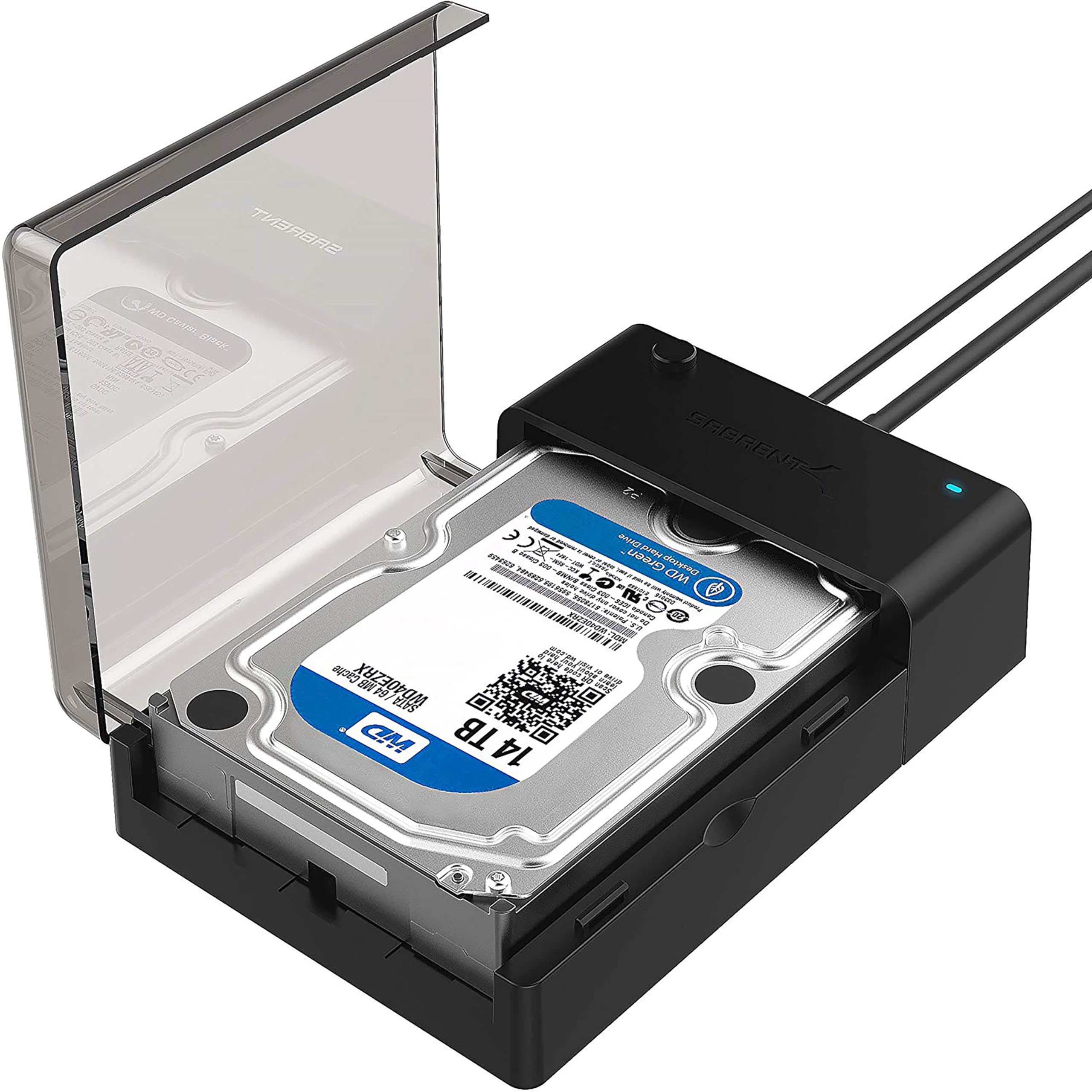
37,000+ ratings
Read Amazon ReviewsSABRENT EC-DFLT Docking Station
A straightforward SATA dock for people who need quick access to 2.5-inch or 3.5-inch drives from a USB-A computer.
- Supports 2.5-inch and 3.5-inch SATA I, SATA II, and SATA III HDDs and SSDs.
- Connects to a computer through USB 3.0 Type-A; the host cable is included.
- Supports UASP when the host system also supports UASP.
- Plug-and-play operation on Windows 10 and 11, macOS, and Linux, with no drivers required.

Pros
- Handles common 2.5-inch and 3.5-inch SATA drive sizes in one dock.
- A direct USB-A connection and included cable simplify use with a matching computer port.
Consider before buying
- It is limited to SATA drives and does not support M.2 NVMe, M.2 SATA, IDE/PATA, SAS, or USB-connected drives.
- A 3.5-inch HDD needs the included power adapter and a wall outlet; relying on USB power alone can prevent it from spinning up or cause disconnects.
Read the full review summary
This lay-flat dock keeps the setup uncomplicated: insert a compatible SATA HDD or SSD, connect the included USB Type-A host cable, and use the drive without installing drivers on Windows 10 or 11, macOS, or Linux.
Hot-swapping and an activity LED make occasional drive changes easier to follow, while UASP support can help when both the computer and its USB connection support the protocol.
It suits people who already own bare SATA drives and want an accessible external connection without fitting each drive into a permanent enclosure.
The boundaries matter: it is not for M.2, IDE/PATA, SAS, or USB-connected drives, and a 3.5-inch HDD requires the included AC adapter and a wall outlet. Check the drive interface and the computer’s available ports before choosing it.
The buying factors
SABRENT EC-DFLT Scorecard
Editorial scores reflect listed features and buyer fit; they are not laboratory measurements or customer ratings.
Drive-format coverage
It accepts both 2.5-inch and 3.5-inch SATA HDDs and SSDs, but only SATA formats.
Setup simplicity
Plug-and-play use without drivers and hot-swapping suit straightforward access and drive changes.
Host connection
The included Type-A USB 3.0 connection is practical for matching ports, while USB-C-only computers need a compatible adapter or port arrangement.
Transfer flexibility
UASP support may help with a compatible host, although actual SSD rates vary and HDDs remain limited by the drive.
Power convenience
The included 12V adapter supports 3.5-inch drives, but using those drives requires access to a wall outlet.
Drive-change visibility
An activity LED gives a visible indication of drive activity during use.
Key Features and Specifications of SABRENT EC-DFLT
- Supports 2.5-inch and 3.5-inch SATA I, SATA II, and SATA III HDDs and SSDs.
- Connects to a computer through USB 3.0 Type-A; the host cable is included.
- Supports UASP when the host system also supports UASP.
- Plug-and-play operation on Windows 10 and 11, macOS, and Linux, with no drivers required.
- Hot-swappable design with an LED activity indicator.
- Includes a 12V AC power adapter for 3.5-inch drives; those drives cannot run from USB power alone.
- 2.5-inch drives are generally bus-powered, though the adapter is recommended for stability. The drive itself is not included.
Pros and Cons of SABRENT EC-DFLT
Pros
- Handles common 2.5-inch and 3.5-inch SATA drive sizes in one dock.
- A direct USB-A connection and included cable simplify use with a matching computer port.
- Hot-swapping and plug-and-play support make it convenient for occasional drive access.
- UASP support offers a faster transfer protocol when the host system is compatible.
Consider before buying
- It is limited to SATA drives and does not support M.2 NVMe, M.2 SATA, IDE/PATA, SAS, or USB-connected drives.
- A 3.5-inch HDD needs the included power adapter and a wall outlet; relying on USB power alone can prevent it from spinning up or cause disconnects.
- A USB 2.0 port or hub may lead to intermittent disconnections; direct connection to a USB 3.0 port is recommended.
- S.M.A.R.T. diagnostics are not supported through the USB bridge.
Who Should Buy SABRENT EC-DFLT?
Good fit
Consider the EC-DFLT if you need to access loose 2.5-inch or 3.5-inch SATA drives on a computer with a USB 3.0 Type-A port.
Its hot-swap design and no-driver setup fit occasional backups, copying files, or checking the contents of drives without installing them inside the computer.
It is also a sensible match when you move among compatible SATA drives and want a dock rather than a drive-specific enclosure.
For 3.5-inch HDD use, plan on a nearby outlet for the included adapter; for 2.5-inch drives, the adapter is recommended when stability is a priority.
Before buying, confirm that the drive is SATA and that the host connection suits your computer. If you rely on drive health monitoring through S.M.A.R.T., account for the fact that the USB bridge does not pass those diagnostics.
Who should skip it
Skip this dock if your drives use M.2 NVMe, M.2 SATA, IDE/PATA, SAS, or a USB connection, or if you need a dock that supports those formats.
It is a poor fit for a setup where a 3.5-inch drive must run without a wall outlet, or where the computer only has USB-C and you do not have a compatible Type-A connection or adapter.
How the SABRENT EC-DFLT fits a drive-access setup
SATA compatibility comes first
The dock’s broadest practical strength is its support for both common SATA drive sizes and the SATA I, II, and III generations.
That makes it useful across many loose HDDs and SSDs, but the physical size alone is not enough to establish compatibility: a 2.5-inch M.2 drive, for example, is not the same interface as a 2.5-inch SATA drive.
Check the connector and drive type before relying on the dock for a specific disk.
USB connection and transfer expectations
The included Type-A cable makes the host connection direct when the computer has a suitable USB 3.0 port.
UASP is supported, but the host must support it as well; the protocol does not remove limits imposed by the drive, port, or connection path.
The supplied guidance puts typical HDD transfers around 100–160 MB/s and notes that SSD speeds vary, so treat those figures as context rather than a guaranteed result for every setup.
Power needs differ by drive size
A 3.5-inch HDD needs more than the host’s USB power, so the included 12V adapter and a wall outlet are part of the normal setup for that drive size.
A 2.5-inch drive is generally bus-powered, with the adapter recommended for stability. This arrangement is convenient at a desk but less suited to locations where mains power is unavailable.
A focused tool for access, not diagnostics
Hot-swapping and the activity LED support simple drive changes and provide a visible activity cue.
The USB bridge does not support S.M.A.R.T. diagnostics, so buyers who need that information should check whether their intended diagnostic workflow can work through this connection before depending on it.
The dock’s value is strongest when the main task is connecting and using a compatible drive.
Alternatives to SABRENT EC-DFLT
Hard Drive Docking Stations alternative
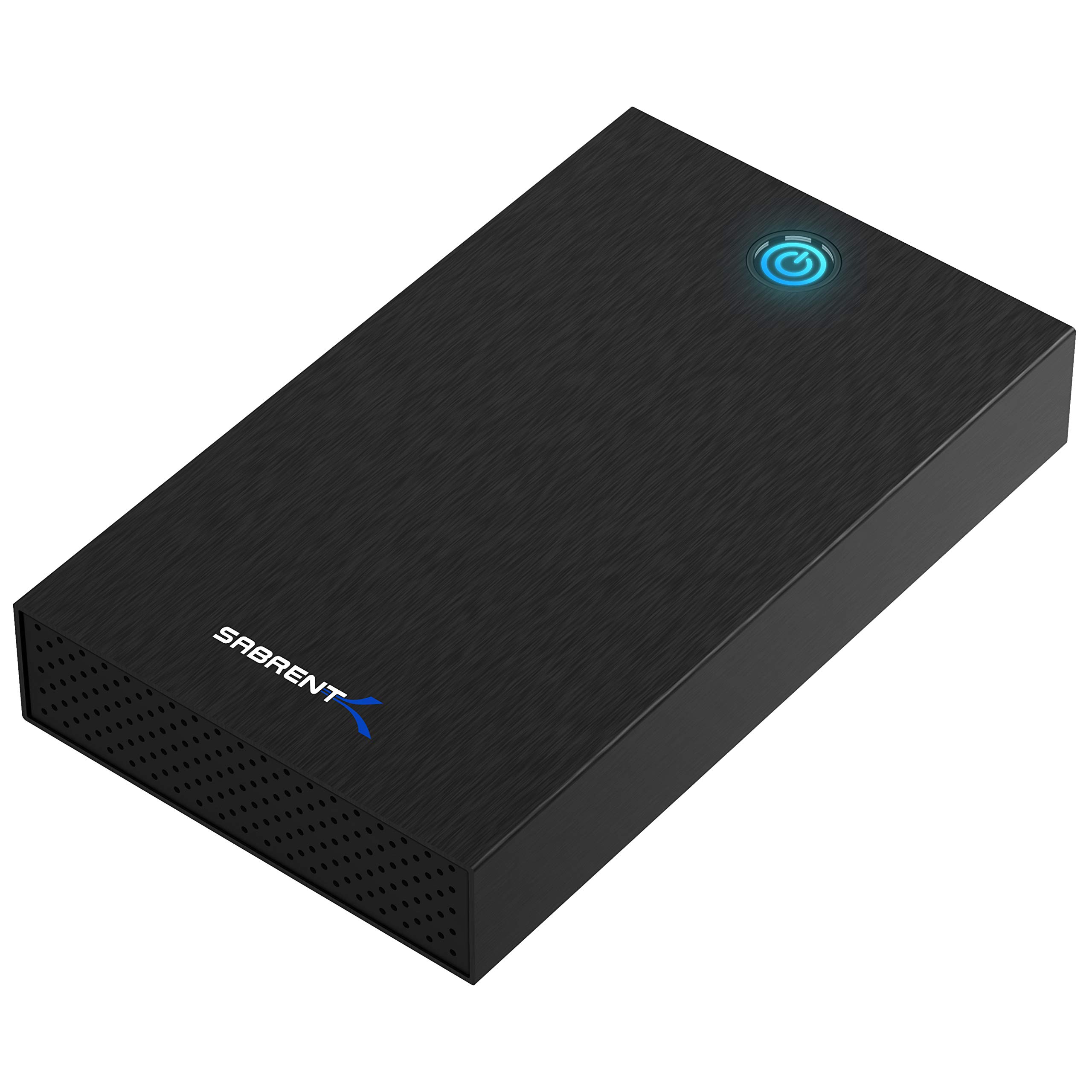
3,000+ ratings
Read Amazon ReviewsSABRENT EC-KSL3 USB 3.0 Drive Enclosure
Choose the EC-DFLT if you want open, quick access for swapping bare drives.
Consider the EC-KSL3 if you prefer each drive to sit inside a case during use and want the enclosure’s stated speed ranges as a planning reference.
- The EC-KSL3 is a tool-free enclosure for 2.5-inch and 3.5-inch SATA drives, with a USB-A connection, UASP, an included 12V adapter, and an internal shock-absorbing tray.
- It lists typical HDD speeds of 100–180 MB/s and SSD speeds up to 400–500 MB/s, and also does not provide S.M.A.R.T. diagnostics through its USB bridge.
- The EC-DFLT is an open docking station for 2.5-inch and 3.5-inch SATA drives, with a Type-A host cable and an included adapter for 3.5-inch drives.
Hard Drive Docking Stations alternative
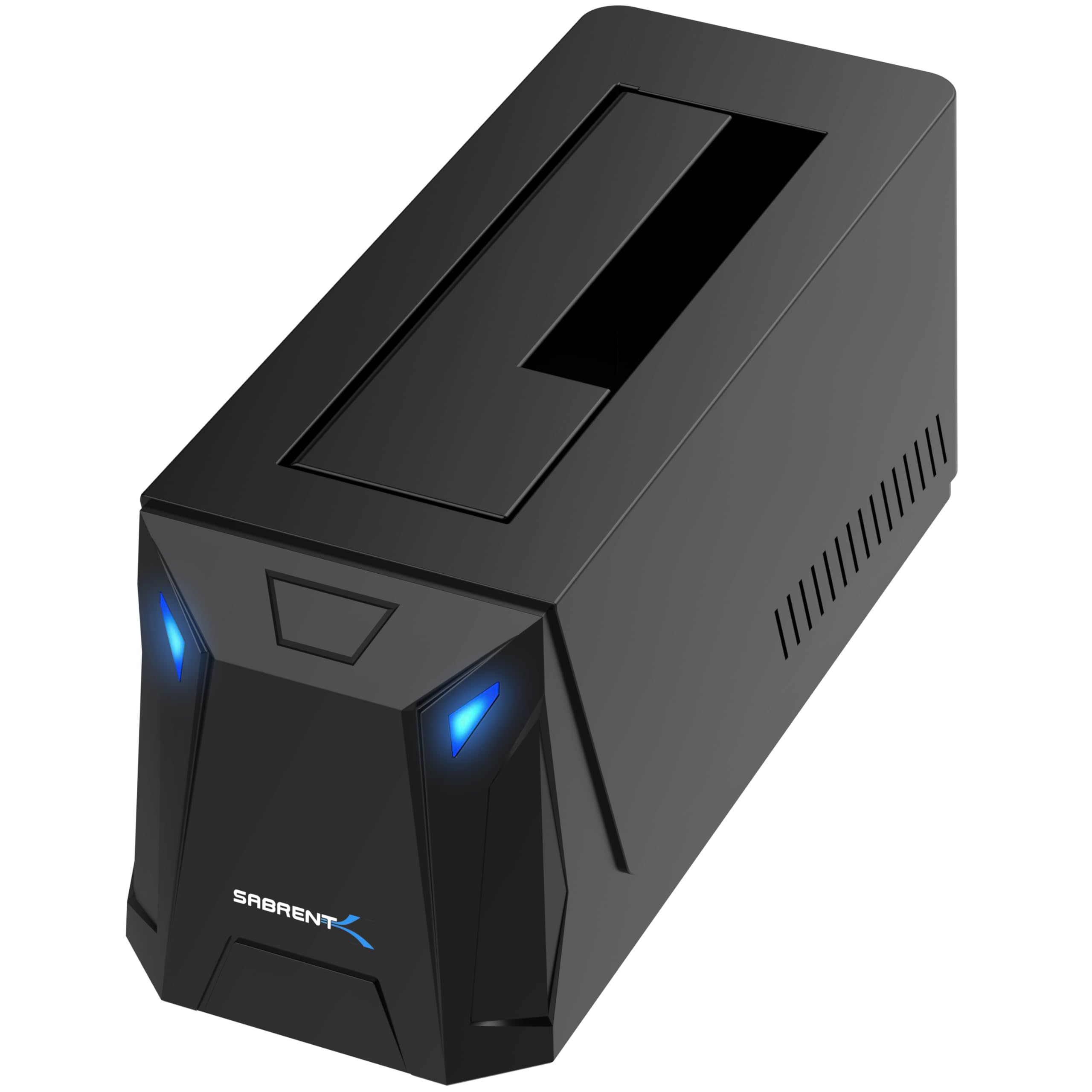
300+ ratings
Read Amazon ReviewsSABRENT DS-UC1B USB-C SATA Docking Station
The EC-DFLT is a fit for a USB-A setup and the stated range of SATA drives. Consider the DS-UC1B if your computer has USB-C and you want the listed 10Gbps interface and larger-capacity drive support.
- The DS-UC1B supports 2.5-inch and 3.5-inch SATA drives over USB-C at up to 10Gbps, includes both USB-A and USB-C host cables, and has a 3.5-inch drive power adapter.
- It is tool-less, hot-swappable, and designed for drives of 20TB and larger.
- The EC-DFLT connects through USB 3.0 Type-A, supports 2.5-inch and 3.5-inch SATA drives, and includes an adapter for 3.5-inch HDDs.
Is SABRENT EC-DFLT Worth It?
The SABRENT EC-DFLT is worth considering as a straightforward access dock for 2.5-inch and 3.5-inch SATA HDDs or SSDs. Its plug-and-play setup, hot-swapping, and UASP support cover the core needs of occasional file access and transfers.
Buy it when your drives are SATA and your computer can connect through USB 3.0 Type-A, keeping the external power requirement in mind for 3.5-inch HDDs.
Look elsewhere if you need M.2 support, S.M.A.R.T. diagnostics through the bridge, or a setup that avoids a wall outlet for 3.5-inch drives.
Your review at a glance
37,000+ ratings
Read Amazon ReviewsSABRENT EC-DFLT Docking Station
A straightforward SATA dock for people who need quick access to 2.5-inch or 3.5-inch drives from a USB-A computer.
- Supports 2.5-inch and 3.5-inch SATA I, SATA II, and SATA III HDDs and SSDs.
- Connects to a computer through USB 3.0 Type-A; the host cable is included.
- Supports UASP when the host system also supports UASP.
- Plug-and-play operation on Windows 10 and 11, macOS, and Linux, with no drivers required.