The Phomemo M120 Label Maker review centers on a portable thermal printer that handles small-format labels for home organization, crafts, and business tasks.
Its broad app toolkit and phone-and-PC support make it worth considering for buyers who need more than basic text labels.
Phomemo M120 Review Summary
The quick verdict
1,000+ ratings
Read Amazon ReviewsPhomemo M120 Label Maker
A compact thermal label printer for home organizers and small businesses that want flexible label sizes, app tools, and phone or PC printing.
- Portable body weighs 200 g and uses a rechargeable battery specified for up to 3,000 labels per charge.
- Auto-sleep mode activates after five minutes of inactivity to conserve power.
- Adjustable paper slot and built-in sizing guide support label widths from 20 to 50 mm.
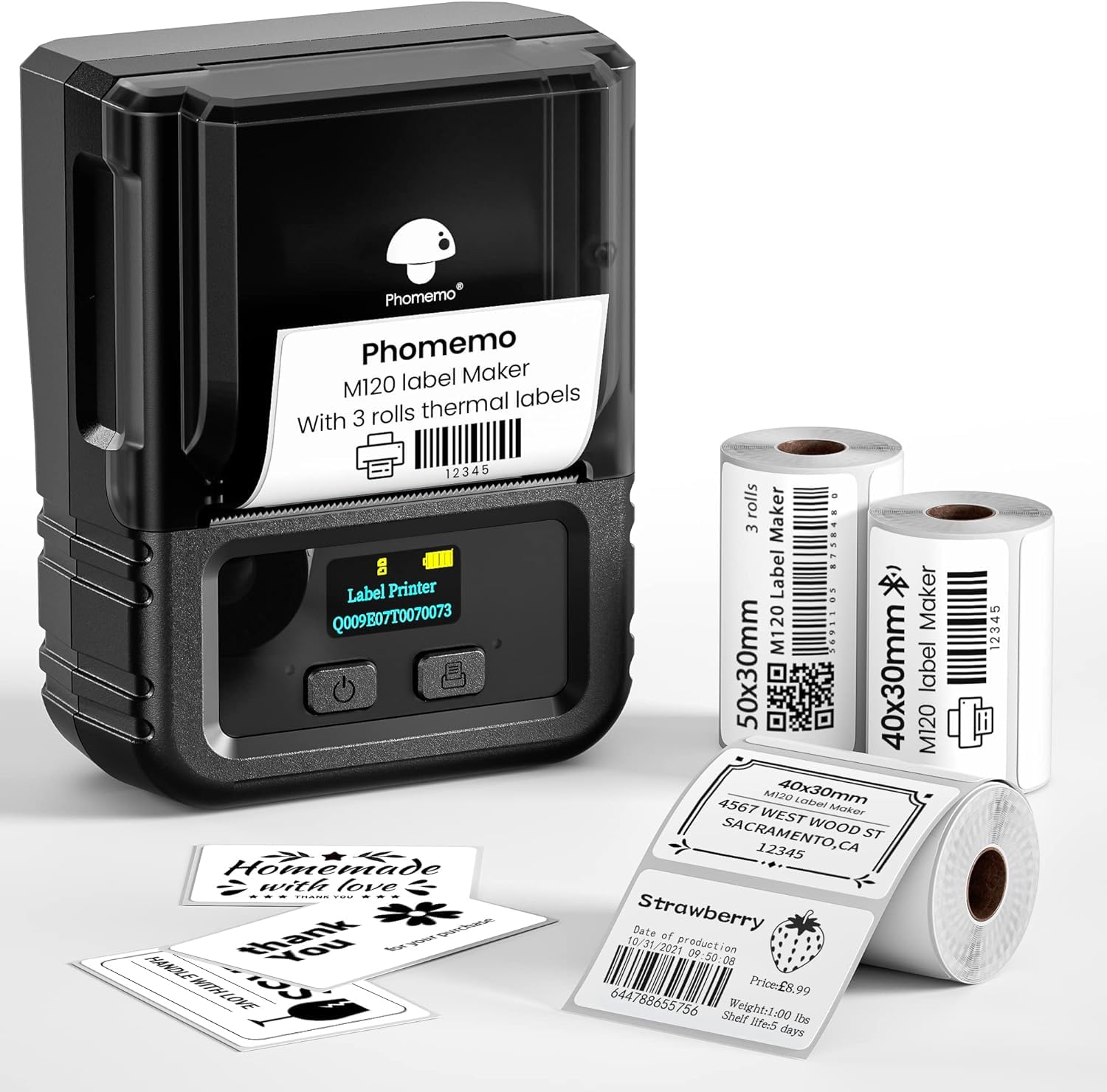
- Package includes three thermal label rolls: two 40 × 30 mm rolls and one 50 × 30 mm roll.

Pros
- Lightweight design and a stated capacity of up to 3,000 labels per charge make it convenient for portable labeling.
- The 20–50 mm width range covers many compact address, barcode, storage, and product labels.
Consider before buying
- The 20–50 mm width limit makes it a compact-label tool; check the width and layout of any shipping or larger product labels you need.
- PC printing requires a USB connection and Labelife software, so it does not use the same wireless workflow as mobile printing.
Read the full review summary
The M120 combines a 200 g portable design with Bluetooth printing from iOS and Android devices and USB connection to a PC.
It supports label widths from 20 to 50 mm, with an adjustable slot and sizing guide intended to simplify calibration.
The included rolls cover two 40 × 30 mm sizes and one 50 × 30 mm size, giving a buyer a few formats to start with.
Its strongest appeal is flexibility in a compact format: the Print Master app offers OCR, voice recognition, barcode and QR-code printing, and a large library of symbols, templates, and fonts.
Thermal printing avoids ink and toner, while adjustable density and speed let users tailor output to different label tasks.
It suits occasional home organization as well as small businesses making product, address, or inventory labels, provided those jobs fit its 20–50 mm width range.
The buying factors
Phomemo M120 Scorecard
Editorial scores reflect listed features and buyer fit; they are not laboratory measurements or customer ratings.
Portability
At 200 g, the printer is designed to be easy to carry, and its rechargeable battery is specified for up to 3,000 labels per charge.
Label-size flexibility
The adjustable slot supports 20–50 mm widths, covering a useful range of compact label jobs.
App design tools
OCR, voice input, barcodes, QR codes, and extensive templates and fonts give users several ways to create labels.
Device compatibility
Bluetooth covers iOS and Android, while PC printing is available through USB and Labelife software.
Small-business utility
Barcode and address printing, batch-friendly design tools, and several label sizes support common small-product labeling tasks.
Print-format range
The printer is suited to compact labels, so buyers needing wider shipping labels should check the required format before choosing it.
Key Features and Specifications of Phomemo M120
- Portable body weighs 200 g and uses a rechargeable battery specified for up to 3,000 labels per charge.
- Auto-sleep mode activates after five minutes of inactivity to conserve power.
- Adjustable paper slot and built-in sizing guide support label widths from 20 to 50 mm.
- Package includes three thermal label rolls: two 40 × 30 mm rolls and one 50 × 30 mm roll.
- Print Master app includes OCR and voice recognition, plus more than 7,900 symbols, 1,900 templates, and 550 fonts across more than 20 languages.
- Bluetooth printing is supported from iOS and Android; PC printing uses USB and Labelife software.
- Thermal printing works without ink, and users can adjust print density and speed.
Pros and Cons of Phomemo M120
Pros
- Lightweight design and a stated capacity of up to 3,000 labels per charge make it convenient for portable labeling.
- The 20–50 mm width range covers many compact address, barcode, storage, and product labels.
- The app combines recognition tools with a large set of templates and design elements.
- Phone and PC connection options make it usable across common mobile and desktop workflows.
Consider before buying
- The 20–50 mm width limit makes it a compact-label tool; check the width and layout of any shipping or larger product labels you need.
- PC printing requires a USB connection and Labelife software, so it does not use the same wireless workflow as mobile printing.
- For best performance, the product guidance recommends Phomemo thermal labels, a supply choice buyers should factor into ongoing use.
Who Should Buy Phomemo M120?
Good fit
Consider the M120 if you regularly label jars, storage containers, folders, products, or small parcels and want one compact printer for several label styles.
Its adjustable width and included rolls give you some flexibility from the start, while barcode and QR-code support can help with product identification or inventory tasks.
It is also a reasonable fit for users who prefer to design labels on a phone but want a PC option for desktop work.
The app’s OCR and voice recognition can reduce retyping when turning source text into label content, and the template library gives users a starting point for repeated designs.
Before buying, map your most common labels to the 20–50 mm width range and confirm that thermal label rolls in the sizes and finishes you want are available.
The specified battery figure is up to 3,000 labels per charge, so treat it as a stated maximum rather than a guarantee for every print style or usage pattern.
Who should skip it
Choose another format if most of your work involves wide shipping labels or larger sheets; the M120 is designed around labels no wider than 50 mm.
It may not suit a workflow that requires a fully wireless computer connection. PC printing is described through USB and Labelife software, while Bluetooth printing is for iOS and Android devices.
How the Phomemo M120 Fits Everyday Labeling
A compact width range for frequent small labels
The 20–50 mm width range positions the M120 for small-format tasks such as storage tags, addresses, product identification, and barcode labels. The adjustable slot and sizing guide can help when switching between supported widths.
Buyers should measure a typical label area and check whether the needed design fits within that range before making the printer their primary labeling tool.
Mobile design tools can reduce repetitive setup
The Print Master app’s OCR and voice recognition give users ways to turn text into label content, while barcode and QR-code tools cover common identification needs. Its templates, symbols, and fonts offer options for creating repeatable designs.
For a small shop, that can make recurring labels easier to lay out, although the app’s large library is most useful when the user has a clear label format in mind.
Two connection paths suit different routines
Bluetooth printing from iOS and Android supports a mobile workflow, while USB and Labelife software provide a PC route. That makes the M120 more adaptable than a phone-only labeler for users who switch between devices.
A buyer who expects to print from a computer should plan to keep it near a USB connection and install the listed software.
Thermal operation reduces supply complexity
Thermal printing removes the need for ink or toner, leaving label rolls as the main recurring supply. Adjustable speed and density provide some control for different tasks, and the product guidance recommends Phomemo thermal labels for best performance.
Those settings add practical flexibility, but the best choice of label stock will still depend on the intended label size and use.
Alternatives to Phomemo M120
Desktop Label Printers alternative

700+ ratings
Read Amazon ReviewsPhomemo M220 Label Maker
Choose the M120 when its 20–50 mm range fits your labels and a 200 g portable design is a priority.
Consider the M220 if you need a wider supported label range and prefer its listed up-to-36-roll battery figure, while noting it does not support 4 × 6 shipping labels.
- The M220 supports 0.78–3.14 inch label widths, Bluetooth for phones and tablets, and USB for PCs, with an app that includes OCR, barcodes, QR codes, and templates.
- The M120 is a 20–50 mm compact-label printer with Bluetooth mobile printing and USB PC support.
Desktop Label Printers alternative

28,000+ ratings
Read Amazon ReviewsPhomemo D30 Label Maker
The M120 is the more suitable choice if you need its wider 20–50 mm media range or PC connection.
Consider the D30 for a smaller-label home workflow that values continuous or fixed-length tape and a choice of colored label material.
- The D30 is a pocketable Bluetooth labeler that supports continuous label tape and fixed-length labels, with thermal tapes in white, gold, and clear included.
- The M120 is designed around 20–50 mm thermal labels, with PC printing through USB as well as mobile Bluetooth.
Is Phomemo M120 Worth It?
The Phomemo M120 Label Maker is worth considering for home organizers, crafters, and small businesses whose work fits compact labels.
Its lightweight design, app tools, adjustable 20–50 mm width, and phone-and-PC support make it a versatile option for routine labeling.
Check your required label dimensions and supply preferences before buying.
The M120 is not positioned for wide shipping formats, and computer printing uses USB, so it is the strongest fit when compact labels and a portable workflow are the main priorities.
Your review at a glance
1,000+ ratings
Read Amazon ReviewsPhomemo M120 Label Maker
A compact thermal label printer for home organizers and small businesses that want flexible label sizes, app tools, and phone or PC printing.
- Portable body weighs 200 g and uses a rechargeable battery specified for up to 3,000 labels per charge.
- Auto-sleep mode activates after five minutes of inactivity to conserve power.
- Adjustable paper slot and built-in sizing guide support label widths from 20 to 50 mm.
- Package includes three thermal label rolls: two 40 × 30 mm rolls and one 50 × 30 mm roll.