These bluedriver obd2 bluetooth scanner reviews focus on a compact tool for owners who want more than basic check-engine-code reading.
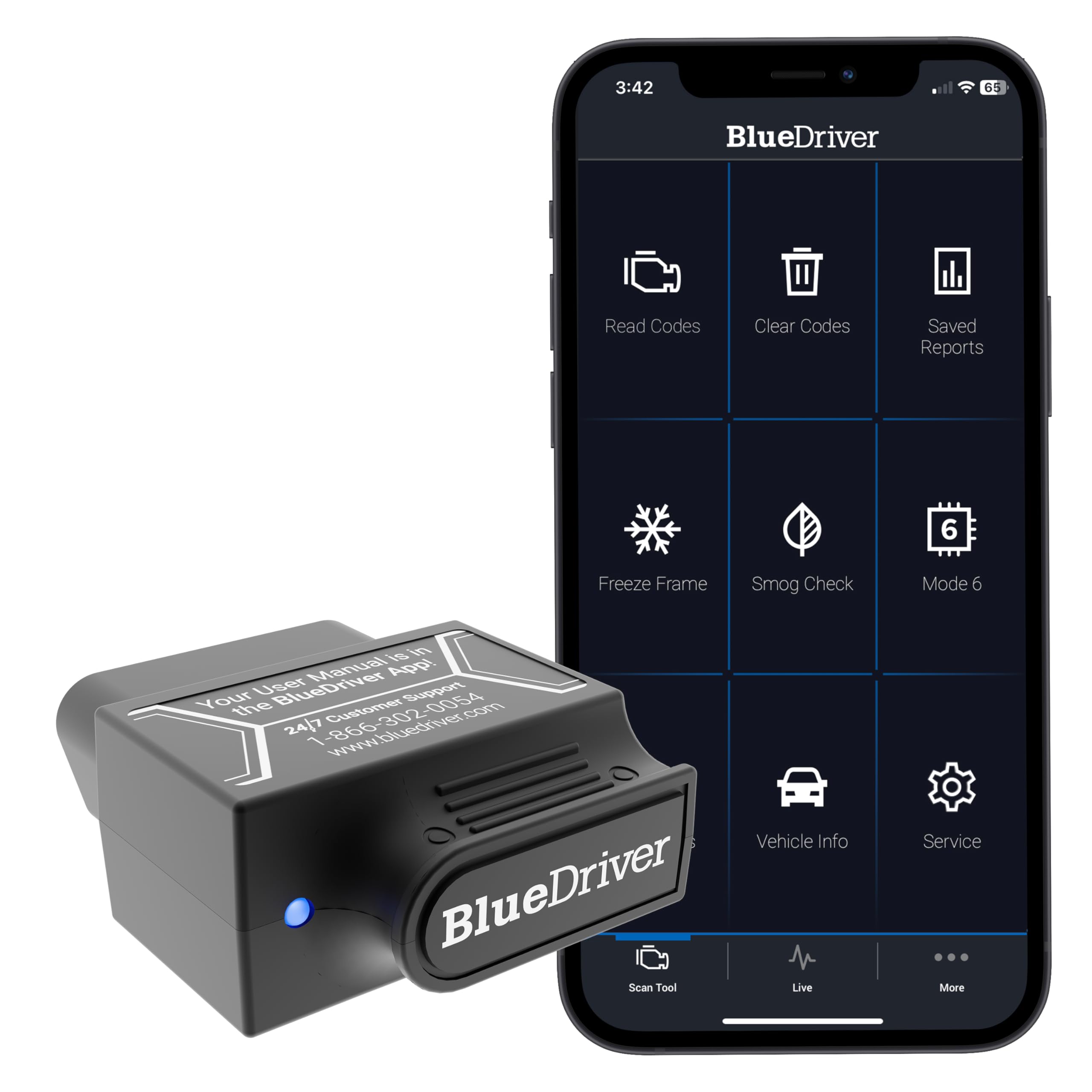
BlueDriver pairs a plug-in sensor with an iOS or Android device to bring enhanced diagnostics and repair information to a phone or tablet.
BlueDriver Scanner Review Summary
The quick verdict
63,000+ ratings
Read Amazon ReviewsBlueDriver OBD2 Scanner
A good fit for DIY owners who want phone-based access to engine and select system codes, live data, and repair guidance without subscription fees.
- Bluetooth sensor plugs directly into the vehicle’s OBDII port and connects to an iOS or Android phone or tablet.
- Reads and clears engine trouble codes and offers enhanced diagnostics for ABS, SRS, airbag, TPMS, and transmission systems, with vehicle-specific variation.
- Provides live vehicle data, freeze-frame information, smog-readiness checks, and Mode 6 test results.
- Offers technician-verified repair reports matched to the vehicle VIN, including code definitions, possible causes, and confirmed fixes.

Pros
- Combines code reading with diagnostics for several systems beyond the engine, depending on vehicle coverage.
- Live data and freeze-frame details provide more context than a code alone.
Consider before buying
- The phone or tablet is part of the setup, so buyers who prefer a dedicated handheld display may find the format less convenient.
- Enhanced system functions vary by vehicle; confirm support for the specific year, make, model, and diagnostic task before buying.
Read the full review summary
The BlueDriver OBD2 Scanner is designed to help drivers investigate trouble codes before deciding what to do next.
It reads and clears engine codes and provides enhanced diagnostics for systems including ABS, SRS, airbags, TPMS, and transmission, with coverage depending on the vehicle.
Live data, freeze frames, smog-readiness checks, and Mode 6 results add context to a fault code.
This setup will appeal to DIYers who already use a smartphone and want wireless access to diagnostic information, plus repair reports matched to a vehicle VIN.
Its stated gas-vehicle compatibility covers North American vehicles from 1996 onward, but buyers should confirm that the specific functions they need are supported for their make and model.
The buying factors
BlueDriver Scanner Scorecard
Editorial scores reflect listed features and buyer fit; they are not laboratory measurements or customer ratings.
Diagnostic breadth
It covers engine codes and enhanced diagnostics across several additional vehicle systems, subject to vehicle support.
Diagnostic context
Live data, freeze frames, smog readiness, Mode 6 results, and VIN-matched repair reports can help put codes in context.
Wireless convenience
A sensor plugs into the OBDII port and communicates with a phone or tablet over Bluetooth.
Vehicle coverage clarity
The stated range is broad for North American gas vehicles, though exact enhanced-function coverage can vary.
Ongoing cost simplicity
The product includes access to its app and features without a subscription, according to its stated terms.
Ease of use for phone owners
The phone-based format avoids a separate handheld screen, but requires a compatible mobile device and app.
Key Features and Specifications of BlueDriver Scanner
- Bluetooth sensor plugs directly into the vehicle’s OBDII port and connects to an iOS or Android phone or tablet.
- Reads and clears engine trouble codes and offers enhanced diagnostics for ABS, SRS, airbag, TPMS, and transmission systems, with vehicle-specific variation.
- Provides live vehicle data, freeze-frame information, smog-readiness checks, and Mode 6 test results.
- Offers technician-verified repair reports matched to the vehicle VIN, including code definitions, possible causes, and confirmed fixes.
- Designed for gas-powered vehicles made in 1996 or later and sold in the United States, Canada, or Mexico; confirm support for the vehicle and desired functions.
- Includes access to the BlueDriver app on iOS or Android, with no subscription fee and free app updates described.
Pros and Cons of BlueDriver Scanner
Pros
- Combines code reading with diagnostics for several systems beyond the engine, depending on vehicle coverage.
- Live data and freeze-frame details provide more context than a code alone.
- VIN-matched repair reports can help owners understand possible causes and next steps.
- Wireless phone connection avoids a cable between the sensor and display device.
- No subscription is required for the described features.
Consider before buying
- The phone or tablet is part of the setup, so buyers who prefer a dedicated handheld display may find the format less convenient.
- Enhanced system functions vary by vehicle; confirm support for the specific year, make, model, and diagnostic task before buying.
- Its stated compatibility is for gas-powered North American vehicles from 1996 onward, so owners outside that scope should verify fit before purchase.
Who Should Buy BlueDriver Scanner?
Good fit
Consider the BlueDriver Scanner if you want to read a check-engine code and then look deeper using phone-based live data, freeze frames, readiness information, and repair reports.
The broader system coverage may also be useful when investigating ABS, airbag, TPMS, or transmission alerts, as long as your vehicle supports the relevant functions.
It suits owners who are comfortable using an app and want a wireless sensor with ongoing access that does not require a subscription.
Before buying, check compatibility for your exact vehicle and the systems you expect to scan; general model-year coverage does not guarantee every enhanced feature is available.
Who should skip it
Choose another format if you specifically want a standalone handheld scanner with its own display rather than a phone-based interface.
This is a poor fit if your vehicle is outside the stated North American gas-vehicle compatibility range and you cannot confirm support for it.
BlueDriver Scanner: What Its Phone-Based Diagnostics Offer
More than a basic engine-code reader
The BlueDriver Scanner combines engine-code functions with access to selected additional systems, including ABS, SRS, TPMS, and transmission diagnostics.
That range can make it useful when a warning light points beyond the engine, but system-level access depends on the vehicle, so buyers should verify support for the particular system they need.
Data that helps explain a fault
A code identifies a reported condition; it does not by itself establish the repair. Live data and freeze frames add operating context, while Mode 6 results and smog-readiness checks provide other diagnostic views.
VIN-matched repair reports add definitions, possible causes, and confirmed fixes to guide further investigation.
A wireless setup centered on your phone
The sensor plugs into the OBDII port and uses Bluetooth to connect with an iOS or Android device. This keeps the display and diagnostic information in the app, which can suit owners who prefer phone-based tools.
It also means a compatible mobile device is central to using the scanner.
Check vehicle and function support first
The described compatibility covers gas-powered vehicles from 1996 onward in the United States, Canada, and Mexico.
That broad scope is useful as an initial screen, but it should not be treated as a promise that every enhanced diagnostic feature works on every model.
Confirm the functions you plan to use for your exact vehicle before purchase.
Alternatives to BlueDriver Scanner
Battery-focused alternative
4,000+ ratings
Read Amazon ReviewsInnova 5210 OBD2 Scanner
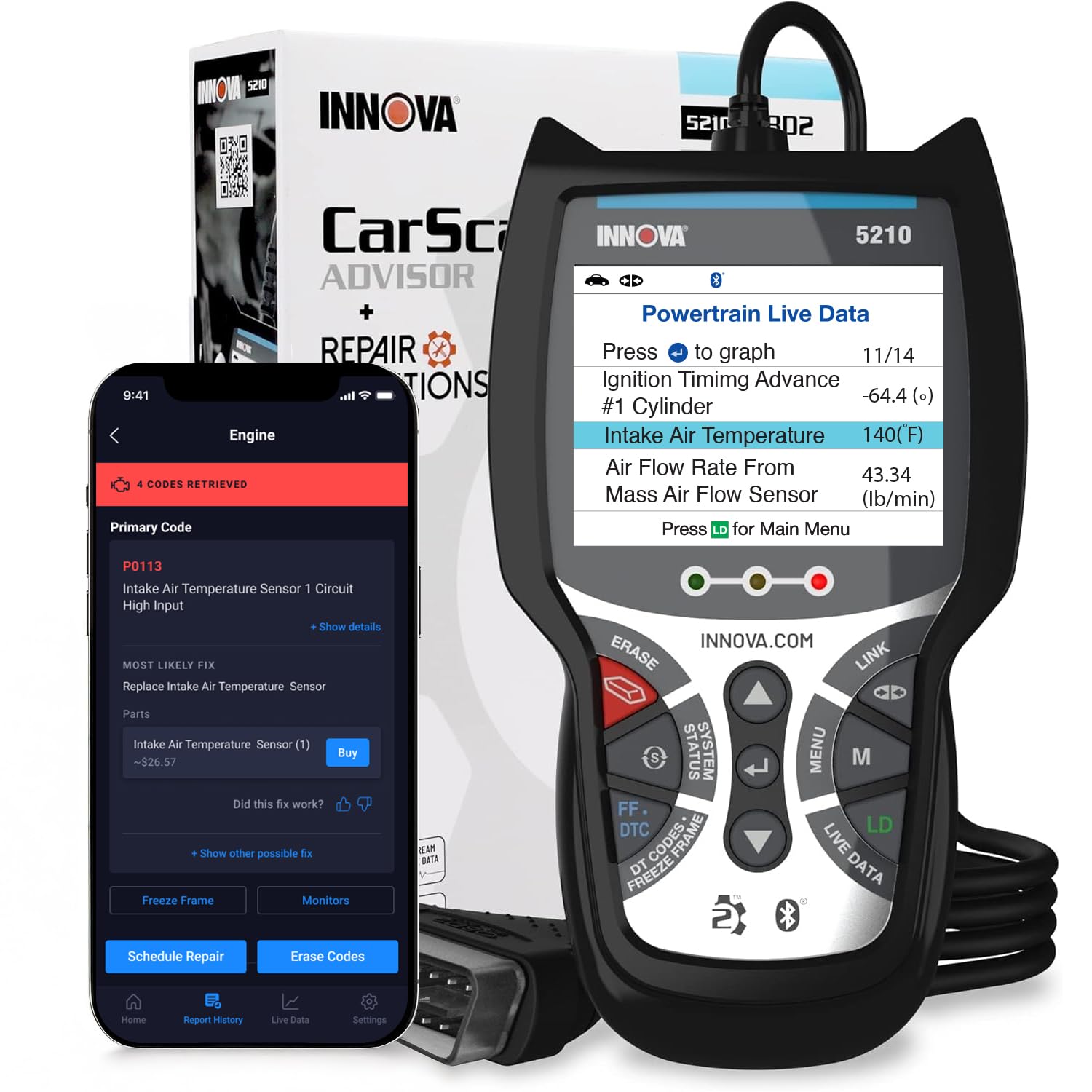
Consider the Innova 5210 if a handheld scanner and battery testing or oil-light reset matter more to you.
BlueDriver may suit buyers who prefer a phone-centered wireless setup and want its described VIN-matched reports and enhanced system diagnostics; check vehicle coverage for either tool.
- The Innova 5210 is a handheld OBD2 scanner that also tests the battery, provides live data, supports oil-light reset, and uses a phone app for repair guidance; ABS coverage may vary.
- BlueDriver uses a Bluetooth sensor with a phone app and offers enhanced diagnostics across several systems, plus VIN-matched repair reports.
Code Readers & Scan Tools alternative
700+ ratings
Read Amazon ReviewsInnova 5410 OBD2 Scanner
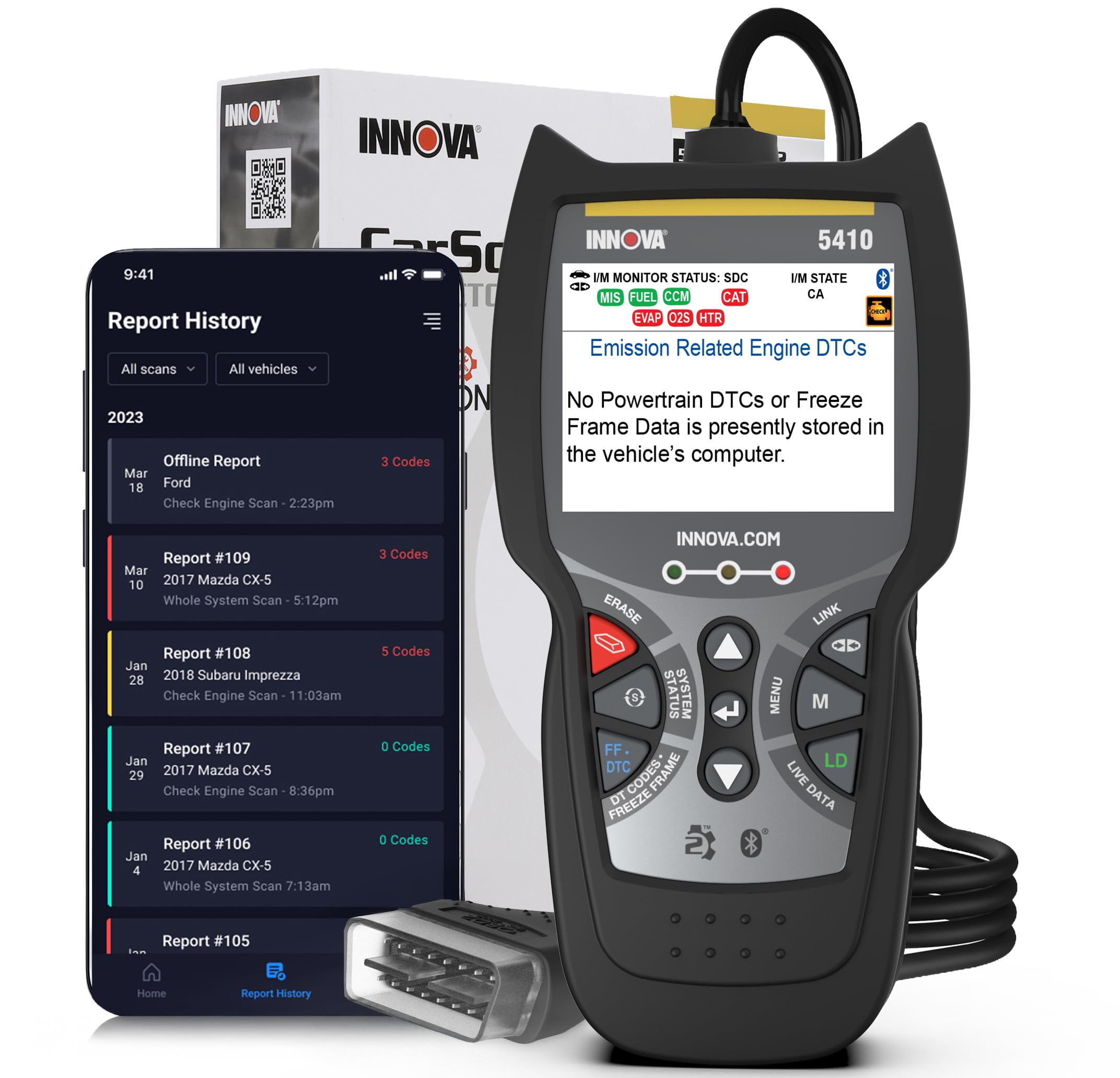
Consider the Innova 5410 if you want a handheld interface and its listed all-system diagnostic categories. BlueDriver is the closer fit for a phone-based Bluetooth setup; verify your vehicle’s support for the functions that matter with either model.
- The Innova 5410 is a handheld scanner with engine, ABS, SRS, transmission, and other system diagnostics, plus live sensor data; its coverage is limited to select makes and models.
- BlueDriver links its OBDII sensor to a phone or tablet over Bluetooth and offers engine and enhanced system diagnostics, with feature coverage varying by vehicle.
Is BlueDriver Scanner Worth It?
The BlueDriver OBD2 Scanner is worth considering for DIY owners who want a phone-based diagnostic tool that goes beyond basic engine codes.
Its combination of selected system access, live data, freeze frames, readiness checks, and repair reports offers useful context without a subscription.
Buy it if your vehicle falls within the stated compatibility range and you confirm support for the functions you need.
If you prefer a dedicated handheld screen, or require a feature whose vehicle coverage is uncertain, compare the scanner format and compatibility details before choosing.
Your review at a glance
63,000+ ratings
Read Amazon ReviewsBlueDriver OBD2 Scanner
A good fit for DIY owners who want phone-based access to engine and select system codes, live data, and repair guidance without subscription fees.
- Bluetooth sensor plugs directly into the vehicle’s OBDII port and connects to an iOS or Android phone or tablet.
- Reads and clears engine trouble codes and offers enhanced diagnostics for ABS, SRS, airbag, TPMS, and transmission systems, with vehicle-specific variation.
- Provides live vehicle data, freeze-frame information, smog-readiness checks, and Mode 6 test results.
- Offers technician-verified repair reports matched to the vehicle VIN, including code definitions, possible causes, and confirmed fixes.